Why Architects Specify Bollards: BIM Files, CAD Drawings, and Technical Data Sheets
Ask any architect what they need to specify a product in a commercial building project, and the answer will be the same: technical documentation. Not a brochure. Not a marketing video. They need BIM files, CAD drawings, detailed specifications, installation manuals, and product datasheets. Without these, the product does not exist in their workflow.
This is an area where the bollard industry has historically been weak. Many manufacturers provide a product photo and a basic spec table on their website, then expect architects to call for more information. Companies like Alvarado, by contrast, provide a complete documentation package for every product: descriptive specifications, architectural specifications, installation manuals, plan and elevation drawings in both PDF and DWG format, and Revit files for BIM integration. This is the standard that UPARK and other manufacturers should meet.
The Architect's Workflow
Understanding why technical documentation matters requires understanding how architects work. During the design phase, architects use BIM (Building Information Modeling) software — typically Autodesk Revit — to create a 3D model of the entire building and site. Every product that will be installed, from door hardware to bollards, is represented as a Revit family file. If a manufacturer does not provide a Revit file, the architect must either create one from scratch (unlikely) or substitute a competitor's product that does have one.
During the construction documentation phase, architects produce detailed drawings showing exact placement, foundation details, electrical connections, and mounting specifications. These drawings are created in CAD (AutoCAD or similar). DWG files from the manufacturer can be directly imported, saving hours of drafting time. PDF-only documentation forces the architect to redraw everything manually — a friction point that often leads to product substitution.

What a Complete Bollard Documentation Package Includes
Based on the Alvarado model, a complete bollard documentation package should include: a product datasheet (one-page summary with key dimensions, materials, and certifications), descriptive specifications (narrative description for design narratives and preliminary design), architectural specifications (CSI 3-part format: Part 1 General, Part 2 Products, Part 3 Execution — this is what goes into the project manual), an installation manual (step-by-step with foundation diagrams and wiring schematics), plan and elevation drawings (showing exact dimensions, foundation depth, and above-grade height in both PDF and DWG format), and a Revit family file (3D model with parametric dimensions, material assignments, and embedded product data).
Each of these documents serves a different stakeholder. The datasheet helps the architect during product selection. The architectural specification goes into the contract documents. The installation manual guides the contractor. The Revit file integrates the product into the BIM model. Missing any one of these creates friction that can cost the manufacturer the specification.
The Cost of Missing Documentation
When a manufacturer does not provide adequate technical documentation, three things happen. First, the architect specifies a competitor's product that does have documentation. This is the most common outcome — architects are under time pressure and will not chase a manufacturer for files that should be on the website.
Second, the architect creates a generic specification that allows any 'equivalent' product to be substituted during bidding. The contractor then buys the cheapest option, which may not meet the design intent. The manufacturer who lost the specification also loses the sale, and the building owner may end up with an inferior product.
Third, if the product is specified without adequate documentation and problems arise during installation, the manufacturer bears the liability. Clear installation manuals and specification documents protect both the architect and the manufacturer by ensuring the product is installed correctly.
Beyond Documentation: The Specifier's Checklist
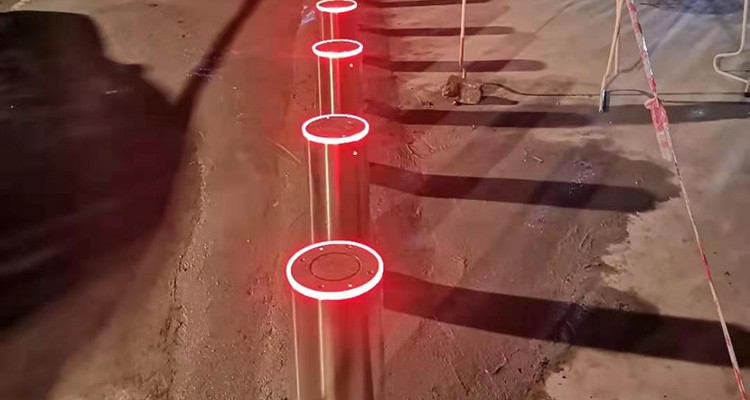
When architects evaluate bollard products for specification, they look beyond documentation to several key factors. Material composition and finish options — does the manufacturer offer the finishes (stainless steel, powder coat, custom colors) that match the design palette? Certification compliance — do the crash ratings match the project's security requirements, and are the certifications from recognized testing bodies? Installation requirements — can the bollard be installed in the site conditions (soil type, water table, existing utilities) without expensive modifications? And maintenance accessibility — can the bollard be serviced without removing the foundation or disrupting surrounding pavement?
A manufacturer that answers all of these questions in their documentation package earns the specifier's trust. A manufacturer that requires phone calls and emails to answer basic questions loses it. In the competitive bollard market, the quality of technical documentation is often the deciding factor in which product gets specified.
The Bottom Line for Manufacturers
If you manufacture bollards and want architects to specify your products, invest in documentation. Every product should have a Revit file, DWG drawings, CSI-format specifications, and a detailed installation manual available for download from your website without registration. This is not a marketing expense. It is a sales enablement investment that directly affects whether your product appears in project specifications. The companies that understand this — like Alvarado, like dormakaba — win the architectural specifications. The companies that do not, lose them before the architect even picks up the phone.
call us :
+86 18206096507 e-mail : [email protected]




 ipv6 network supported